GanttPRO integration with Slack can help you to optimize processes and increase productivity within your team. It will help you work on two platforms at the same time – in the messenger and online project management tool. Moreover, your working processes will be synchronized.
This article explains how to:
- Connect GanttPRO to Slack
- Connect GanttPRO projects to Slack channels
- Enable notifications from GanttPRO to Slack
- Send commands from Slack to GanttPRO
- Disable the integration with Slack
Connect GanttPRO to Slack
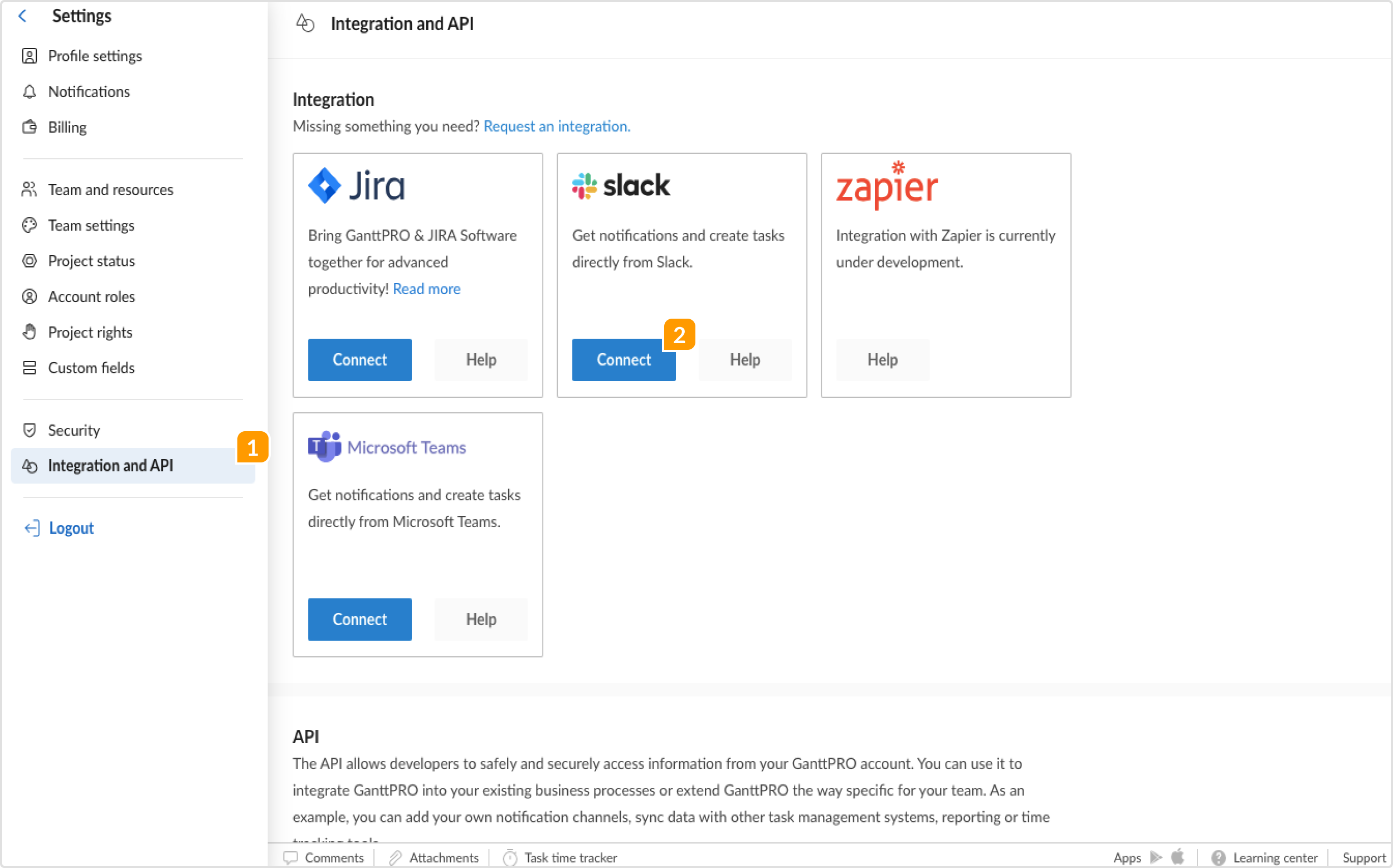
To integrate GanttPRO Gantt chart creator and Slack, go to the Account settings, select Integration and API, and then choose Slack.
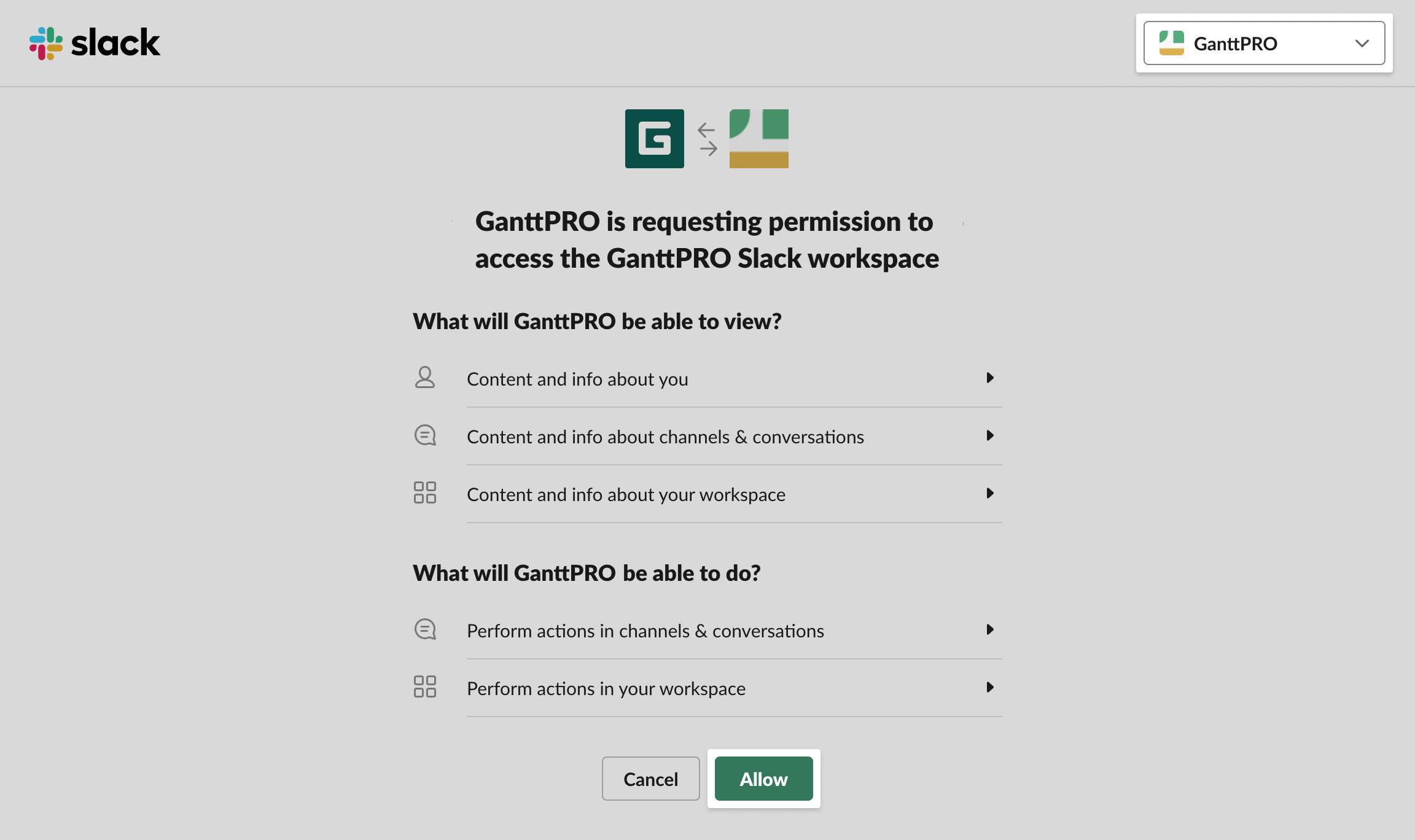
In the next tab, choose a Slack account that you need to connect to and click on Allow.
Note: only Account Owner, Account Admins and Enterprise users with a Custom role and corresponding permission have the possibility to configure integration between GanttPRO and Slack. Other users will only be able to use it once it is configured.
Due to security reasons, an Admin and a Member can’t connect any other Slack account. It should match the account that the Owner has connected.
Connect GanttPRO projects to Slack channels
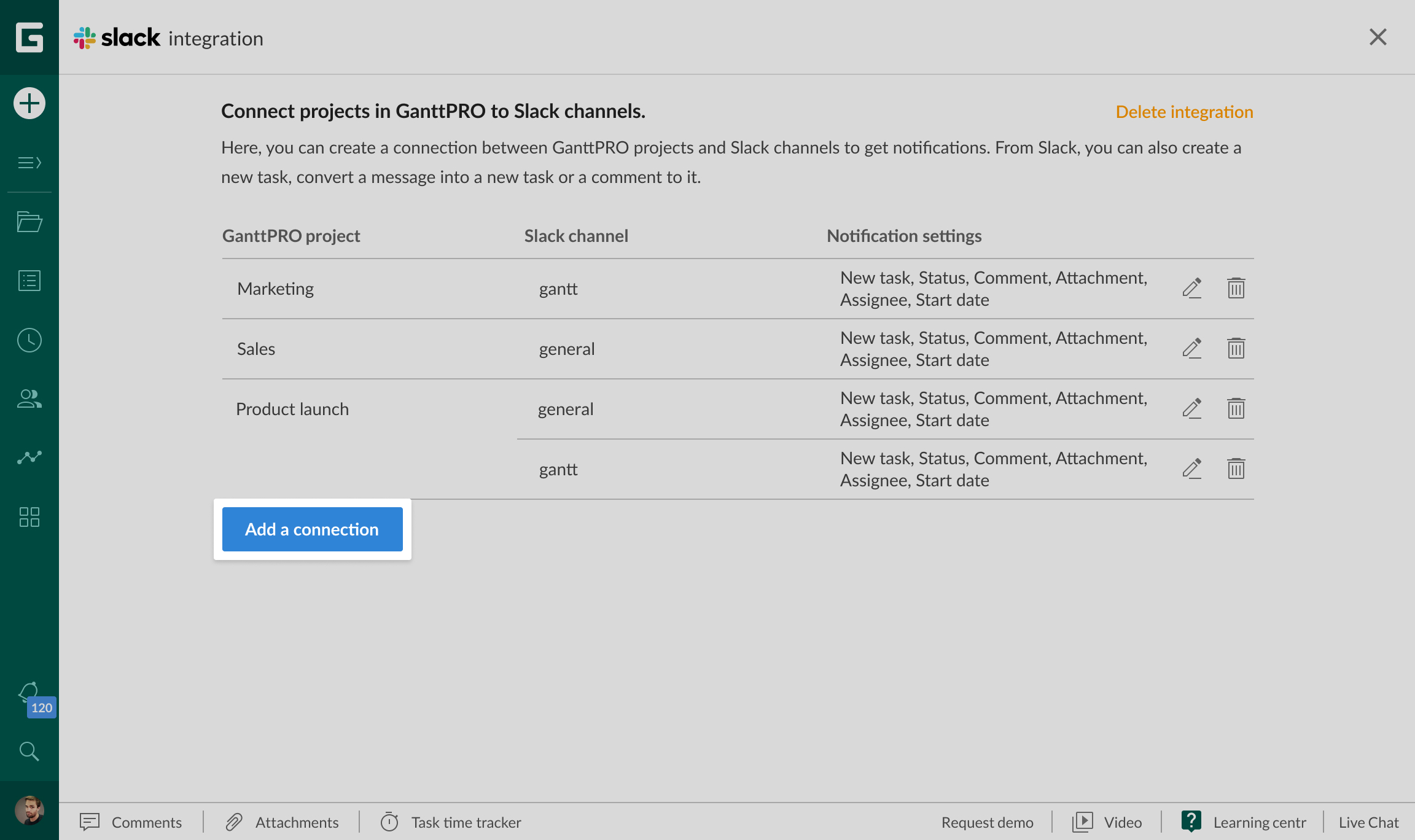
As soon as the integration is on, any user can connect projects from GanttPRO to Slack channels.
The connection has a many-to-many relationship. It means that you can connect more than one project to one channel or one project to a few channels.
After choosing a project and a channel, you need to specify the notifications you want to receive. They will be sent to the channel automatically.
Enable notifications from GanttPRO to Slack
You can choose to receive the following notifications from GanttPRO:
- A new task has been created
- Task status has been changes
- A new comment has been added to a task
- A new file has been attached to a task
- A new resource has been assigned to a task
- A start date of a task has been changed
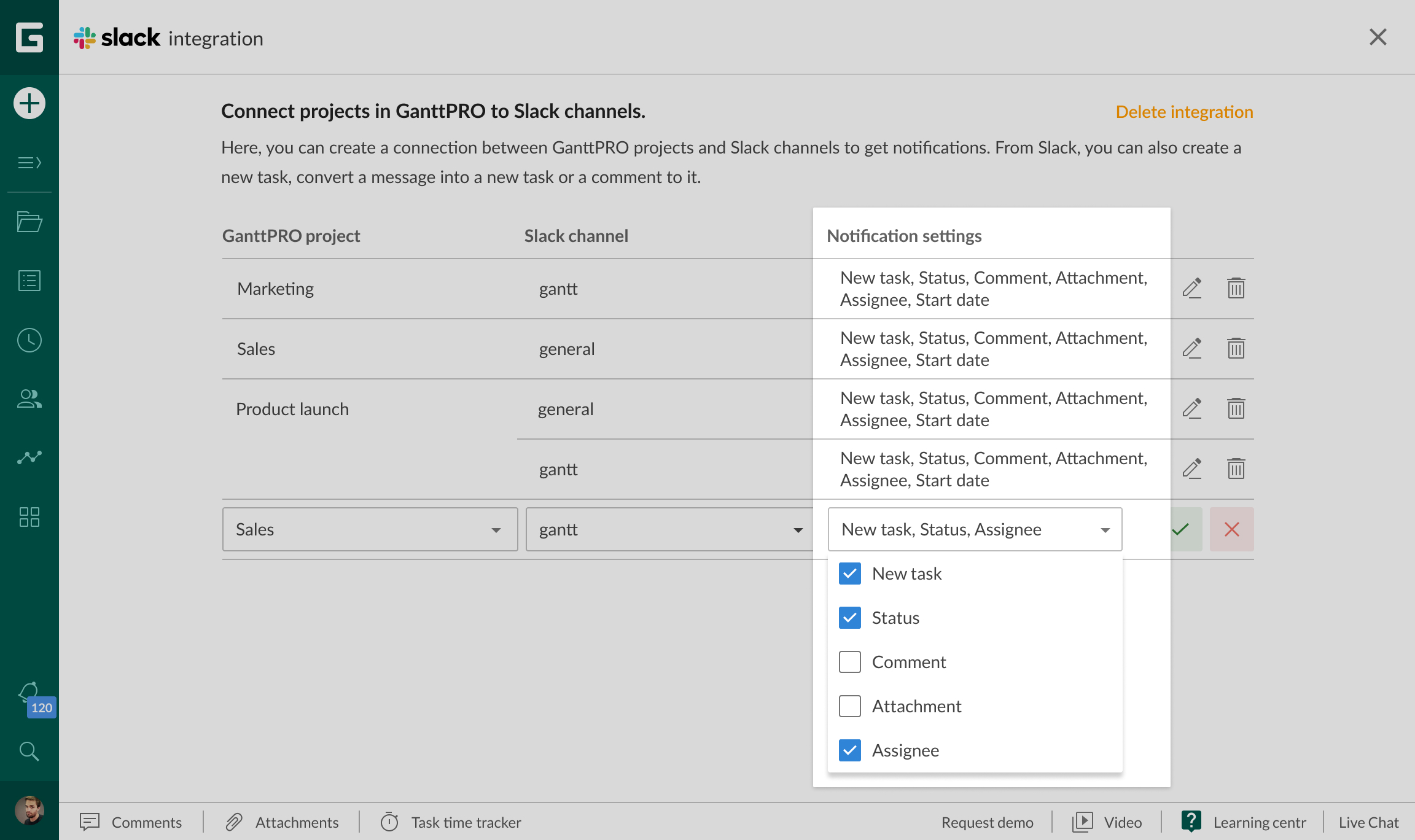
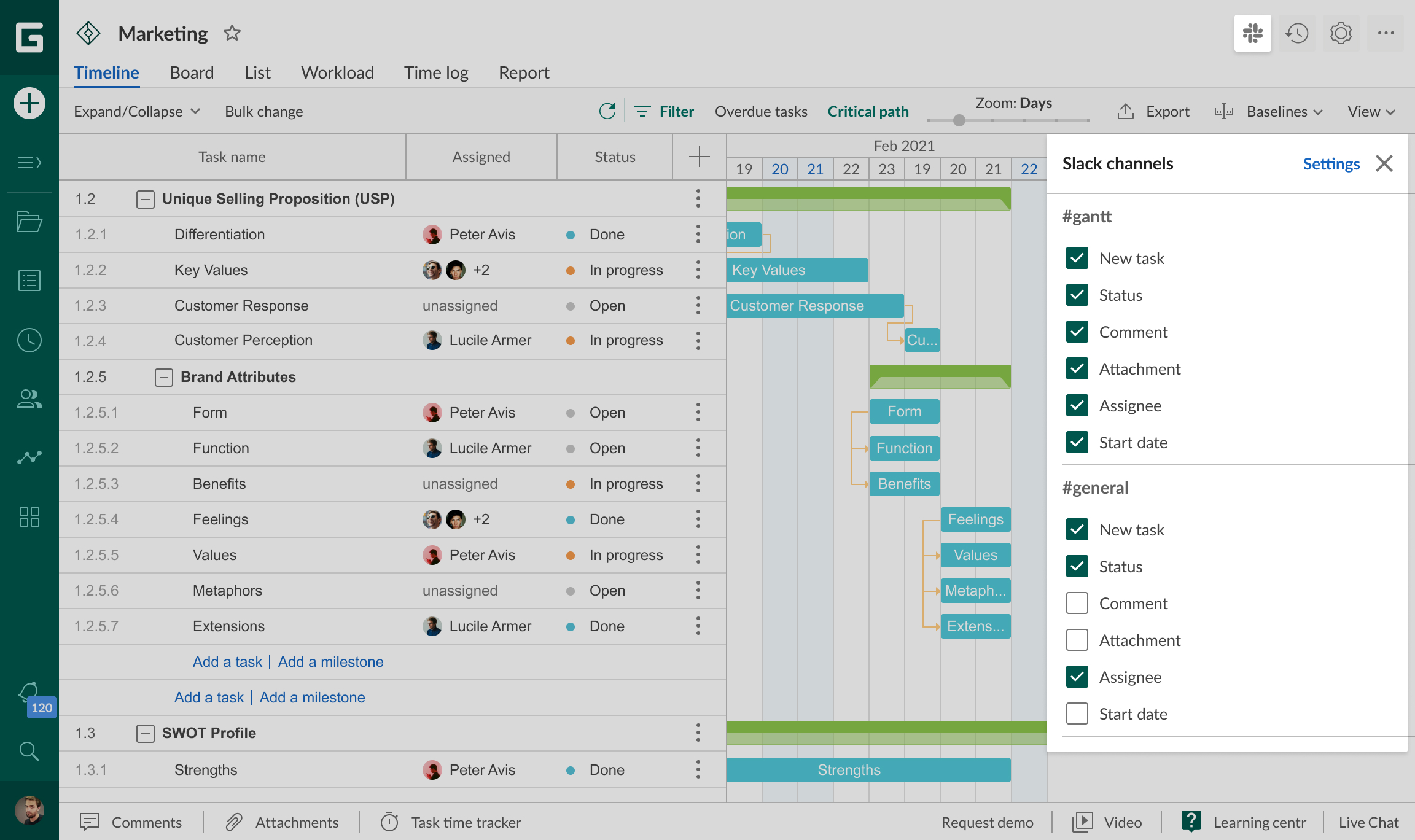
You can set up or edit notifications in two ways:
- The window where you connect GanttPRO projects to Slack channels
- On the upper right corner of your screen (available after the integration is set up)
Send commands from Slack to GanttPRO
From Slack to GanttPRO, you can send the following commands:
- Create a new task
- Convert a message in Slack into a comment to a task
- Сonvert a message in Slack into a new task
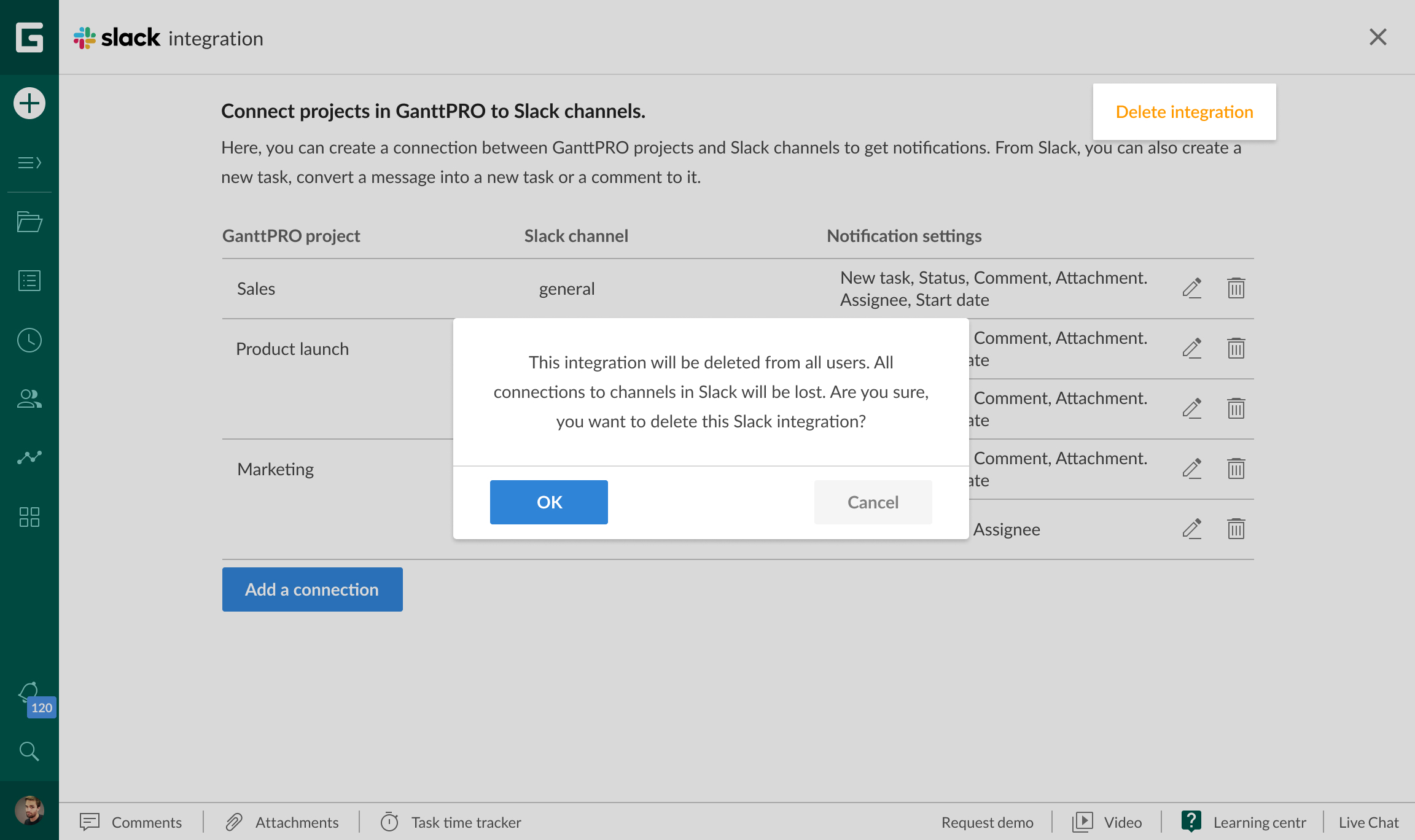
Disable the integration with Slack
To disable the integration, an Owner should go to the window with GanttPRO projects and Slack channels connection and choose Delete integration. The integration will be disabled for the account and all users. All connections between GanttPRO projects and Slack channels will be deleted.