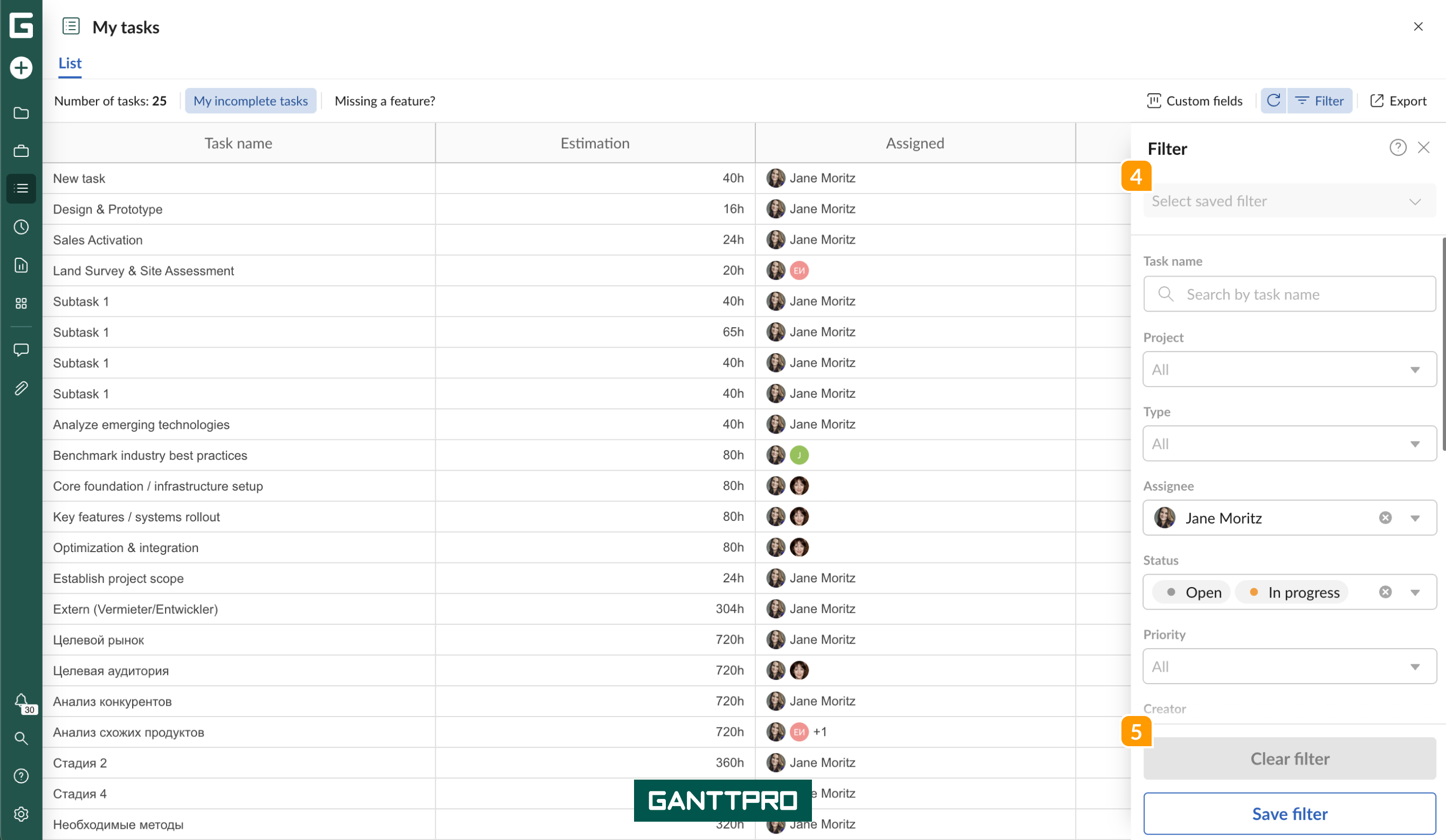
You can export the list of tasks from the My tasks tab as an Excel file. To do that, click on the Export 3 in the top right corner. All the fields, as well as task descriptions, will be included in the exported file.
By default, you will see the list of your incomplete tasks 1. These are “Open” and “In progress” tasks assigned to you. However, you can configure what tasks you want to export by adjusting available Filters 2.
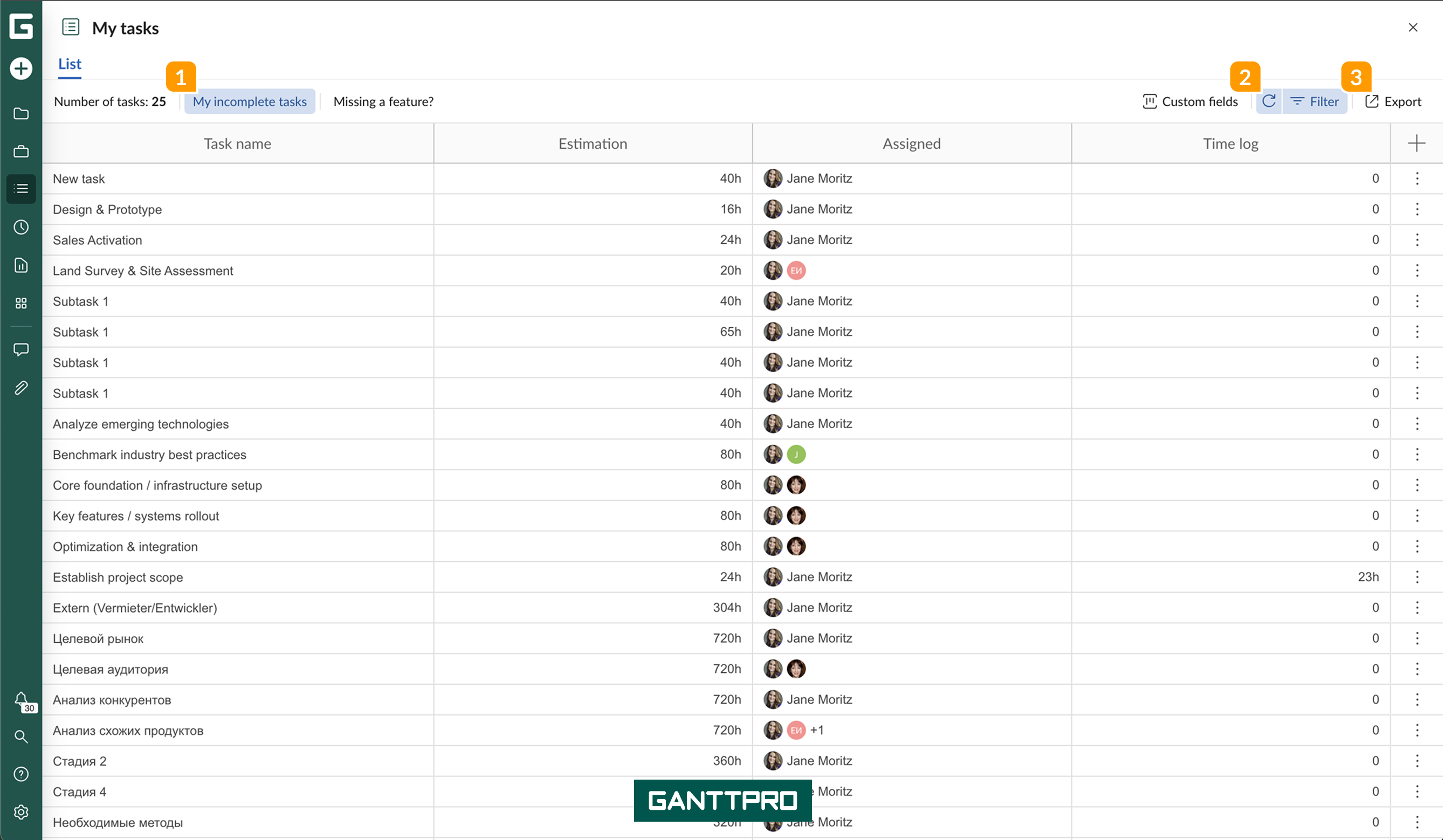
You can use the saved filters 4 from the list or export all the tasks by clearing 5 all the Filters.