Para sincronizar dependencias entre tareas en GanttPRO y JIRA Software, debe agregar nuevos tipos de enlace en JIRA.
Para hacer esto esto:
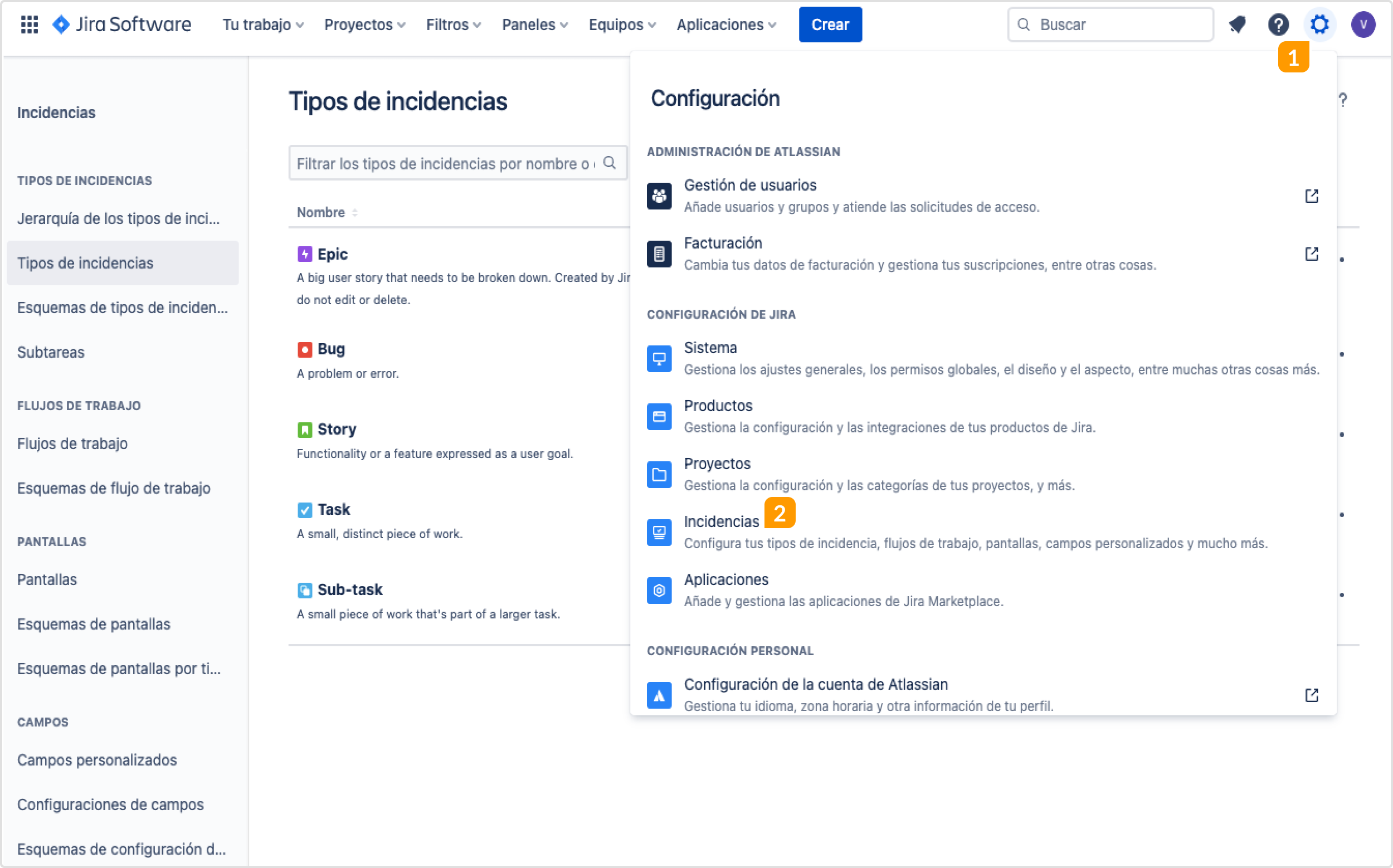
1. Haga clic en el icono de Configuración del proyecto 1 en JIRA y seleccione Incidencias 2.
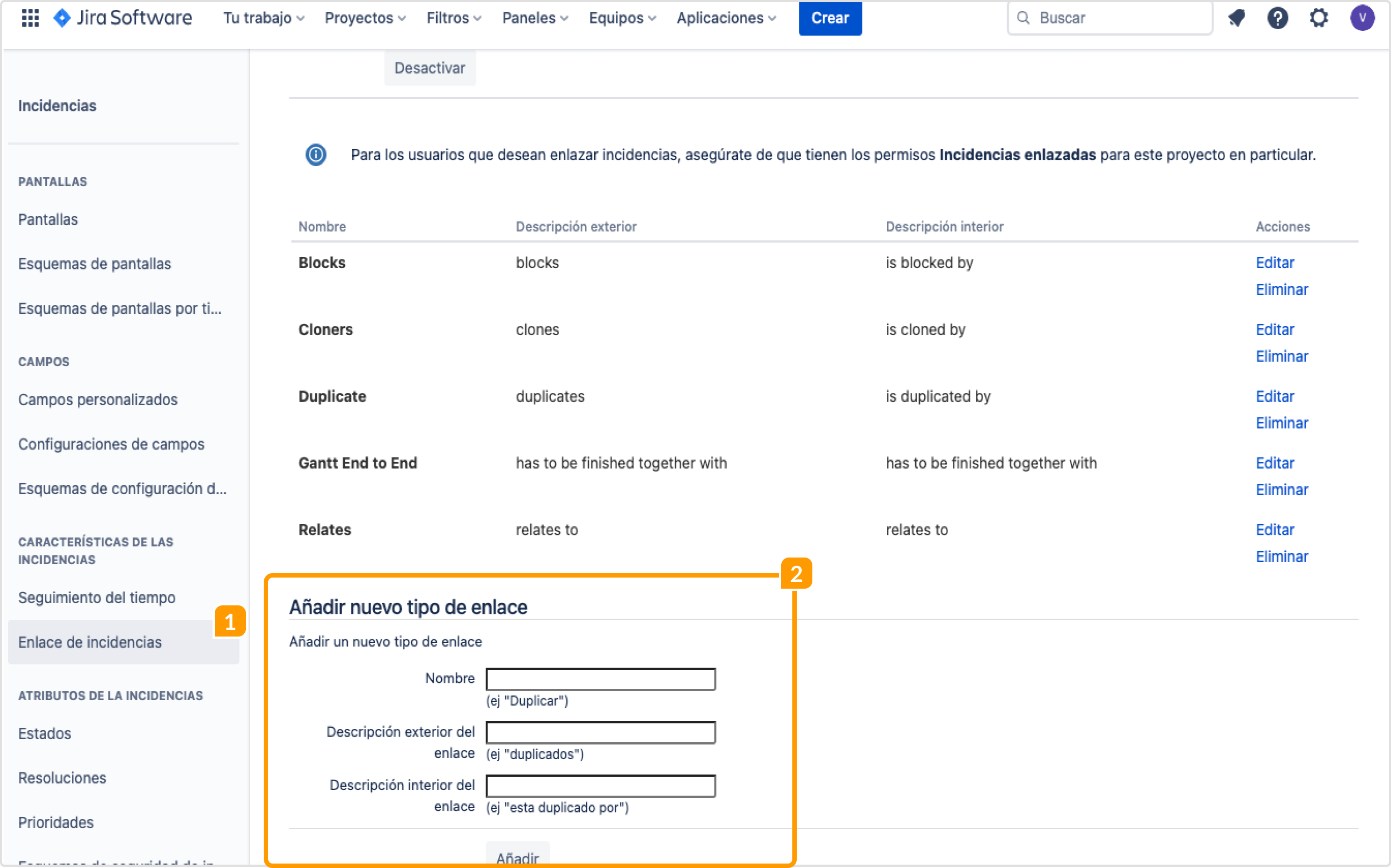
2. Después, haga clic en Enlaces de incidencia 1 en el menú del lado izquierdo. Vaya a Añadir nuevo tipo de enlace 2 y agregue uno por uno los siguientes tipos de dependencias:
Gantt End to End
Descripción exterior del enlace – has to be finished together with.
Descripción interior del enlace – has to be finished together with.
Gantt End to Start
Descripción exterior del enlace – has to be done before.
Descripción interior del enlace – has to be done after.
Gantt Start to End
Descripción exterior del enlace – earliest end is start of.
Descripción interior del enlace – start is earliest end of.
Gantt Start to Start
Descripción exterior del enlace – has to be started together with.
Descripción interior del enlace – has to be started together with.